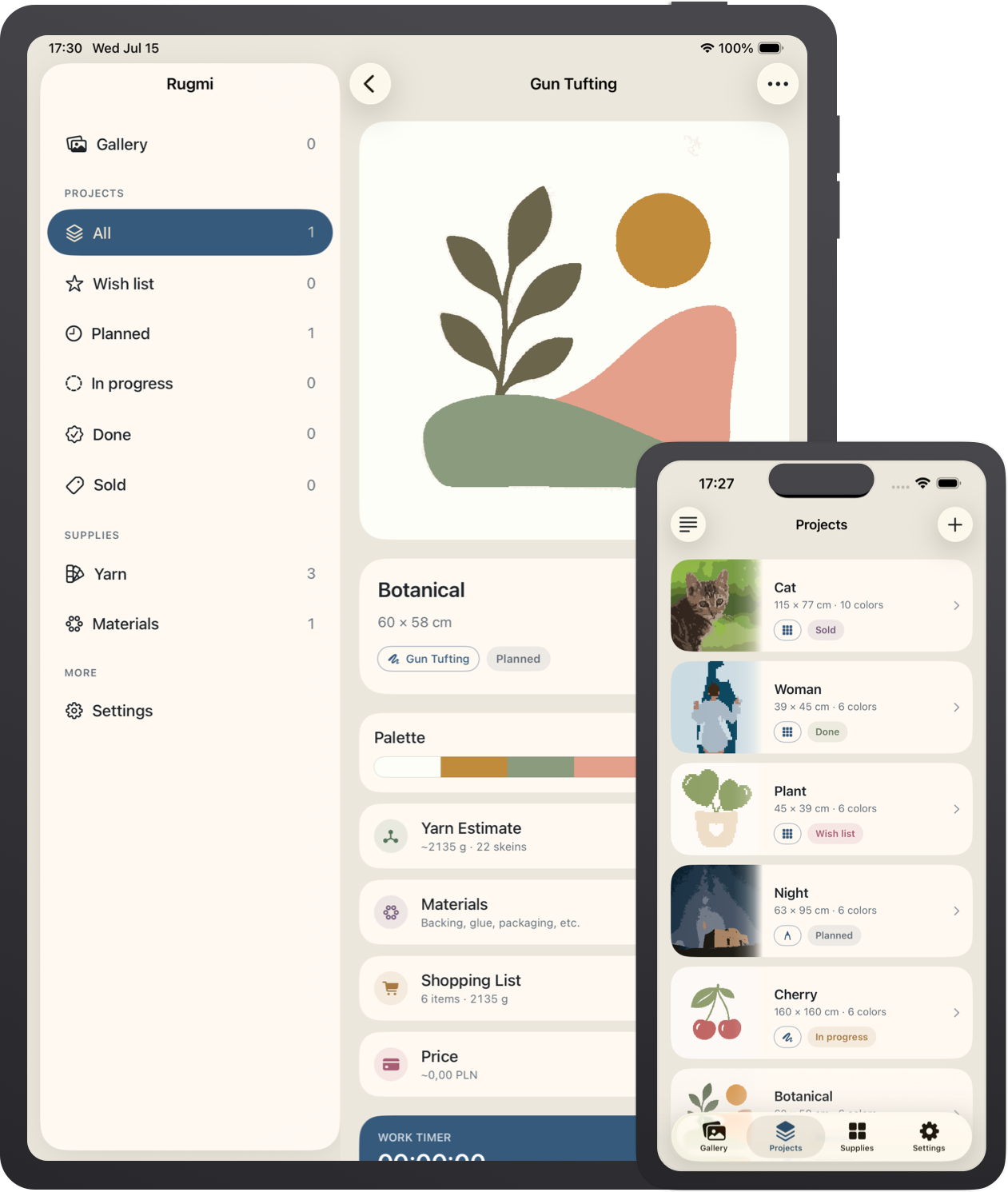
Rugmi converts your image into a color-reduced, tuftable pattern —
then helps you transfer it to fabric with a full-size poster PDF or
projector mode, and works out how much yarn you'll need and what to
charge.
Everything runs on your device. No account, no cloud — your
photos never leave your phone.
Free to try · iPhone & iPad · iOS 26+
Everything you need to make the rug
From the first color to the final price — Rugmi carries one pattern
through conversion, transfer, and planning, so nothing gets lost
between your screen and your frame.
Convert any image
Drop in a photo and Rugmi reduces it to a clean, limited palette a
tufting gun or punch needle can actually reproduce — respecting
real-world minimum detail so every shape stays makeable.
Poster PDF
Export a full-size, tiled poster to print at home, tape together,
and trace straight onto your backing cloth. Mirror it for back-side
transfer with one tap, or export a numbered chart for latch hook.
Projector mode
Beam the pattern onto your frame and trace it live. Pan, zoom, and
keystone-correct so the outline lands perfectly square on the
fabric — no printing required.
Yarn calculator
Estimate how much yarn each color needs before you buy — based on
rug size, pile height, and technique — so you don't run out mid-row
or over-order.
Price calculator
Add up materials, time, and margin to price your rugs with
confidence — whether it's a gift for a friend or an Etsy-style
order.
Projects & gallery
Keep every rug organized with its pattern, palette, and a work
timer — and browse your finished pieces in one gallery whenever you
need a spark.
From photo to fabric in three steps
Open the app, pick an image, and Rugmi carries it all the way to a
pattern you can trace, tuft, and cost out.
1
Pick a photo
Choose any image from your library and crop it to the rug's
real-world size, so the pattern respects what your technique can
actually stitch.
2
Tune the pattern
Set the number of colors and level of detail for tufting, punch
needle, or latch hook. Fill and erase to clean up small areas.
3
Print or project
Export a poster PDF, open projector mode, and check your yarn and
pricing — then start tufting.